Toggles dark rendering of the mail body in Roundcube
roundcube-mailbody_dark
- Category
- Roundcube plugins
- Language
- PHP
- Licence
- GPL-3.0
What it does
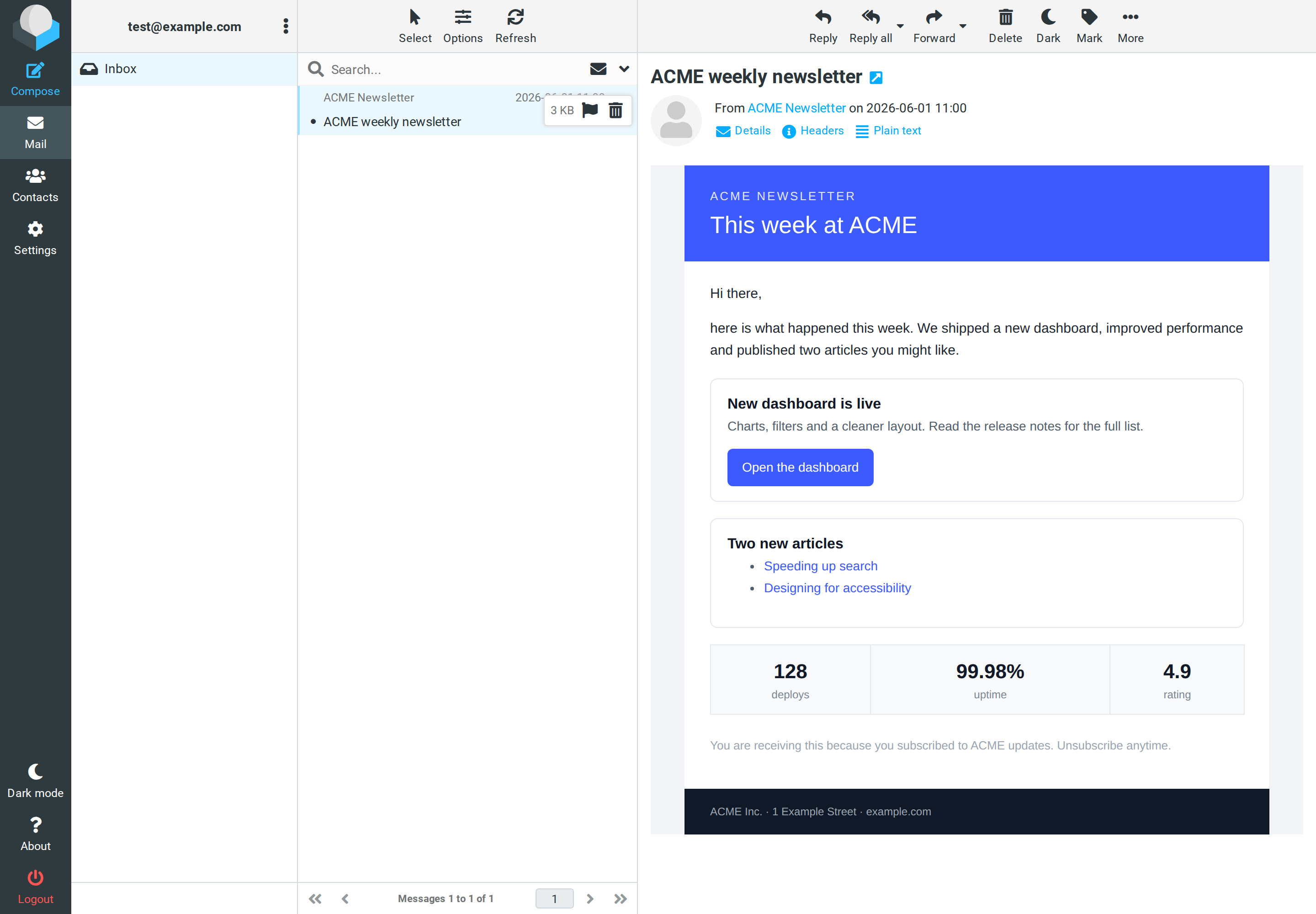
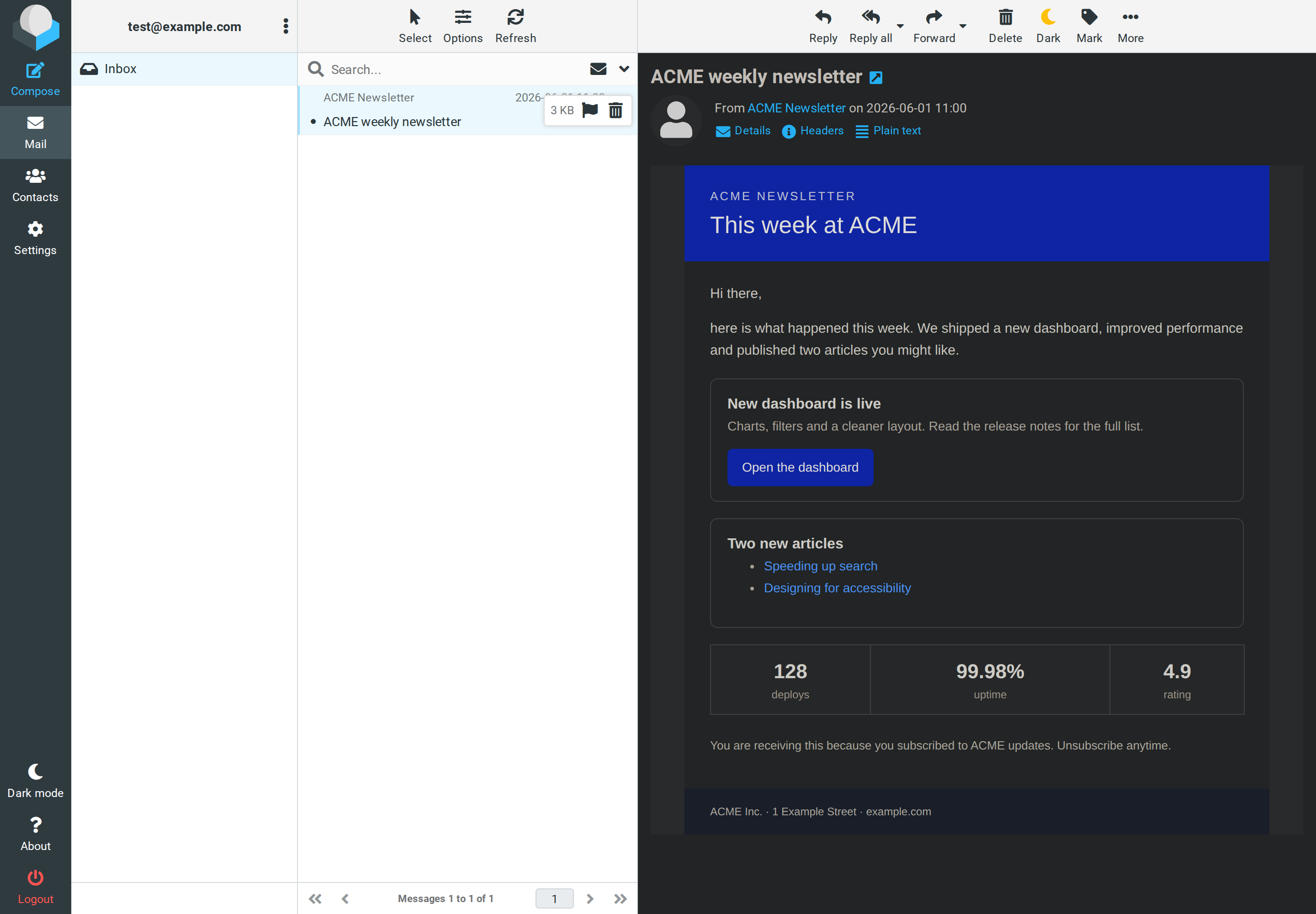
The plugin renders the HTML body of a message in dark or light mode. It uses DarkReader, like the browser extension of the same name, limited to the message area. Folder list, toolbar and headers stay unchanged.
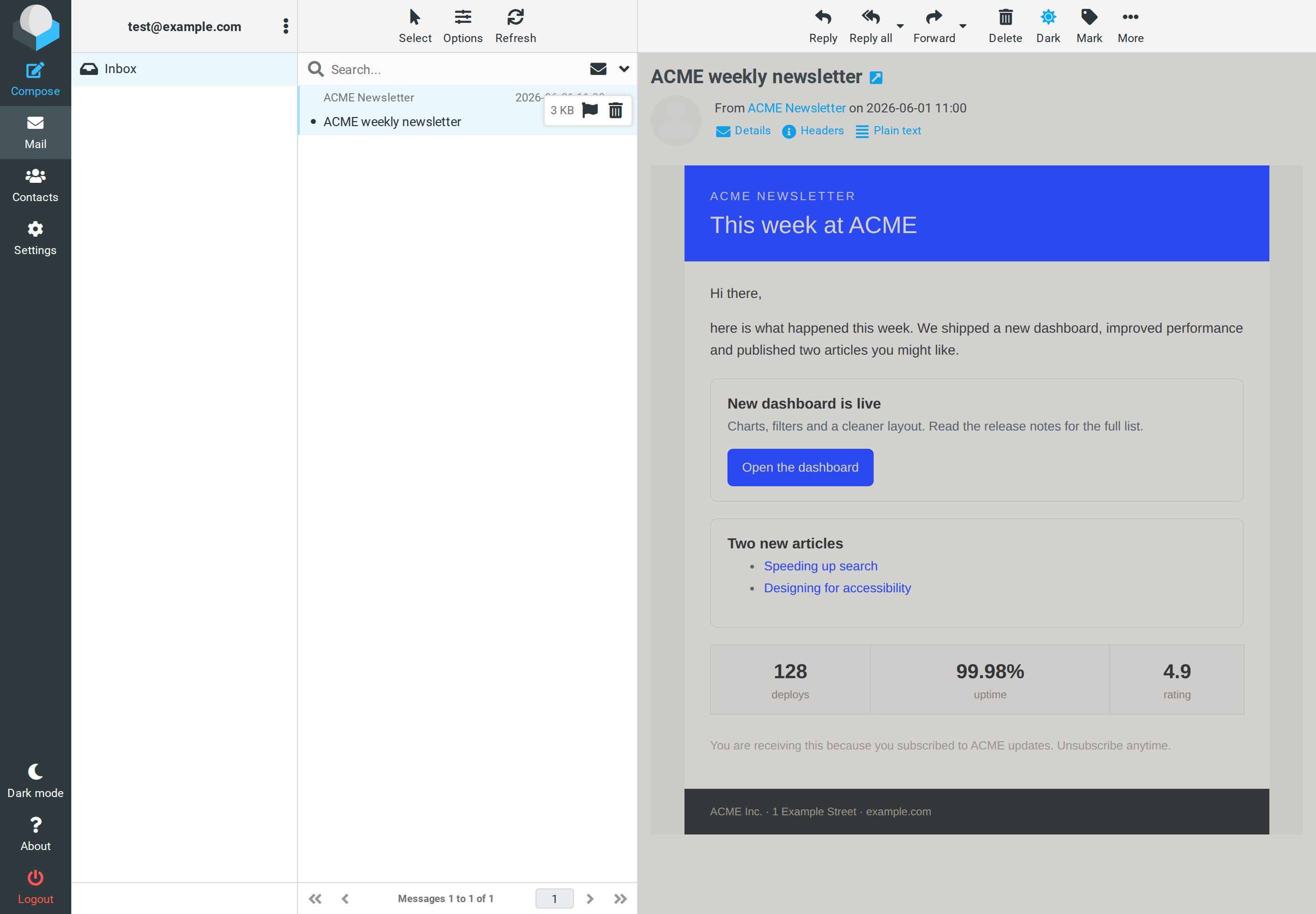
- A button in the message view that cycles between Off, Dark and Light.
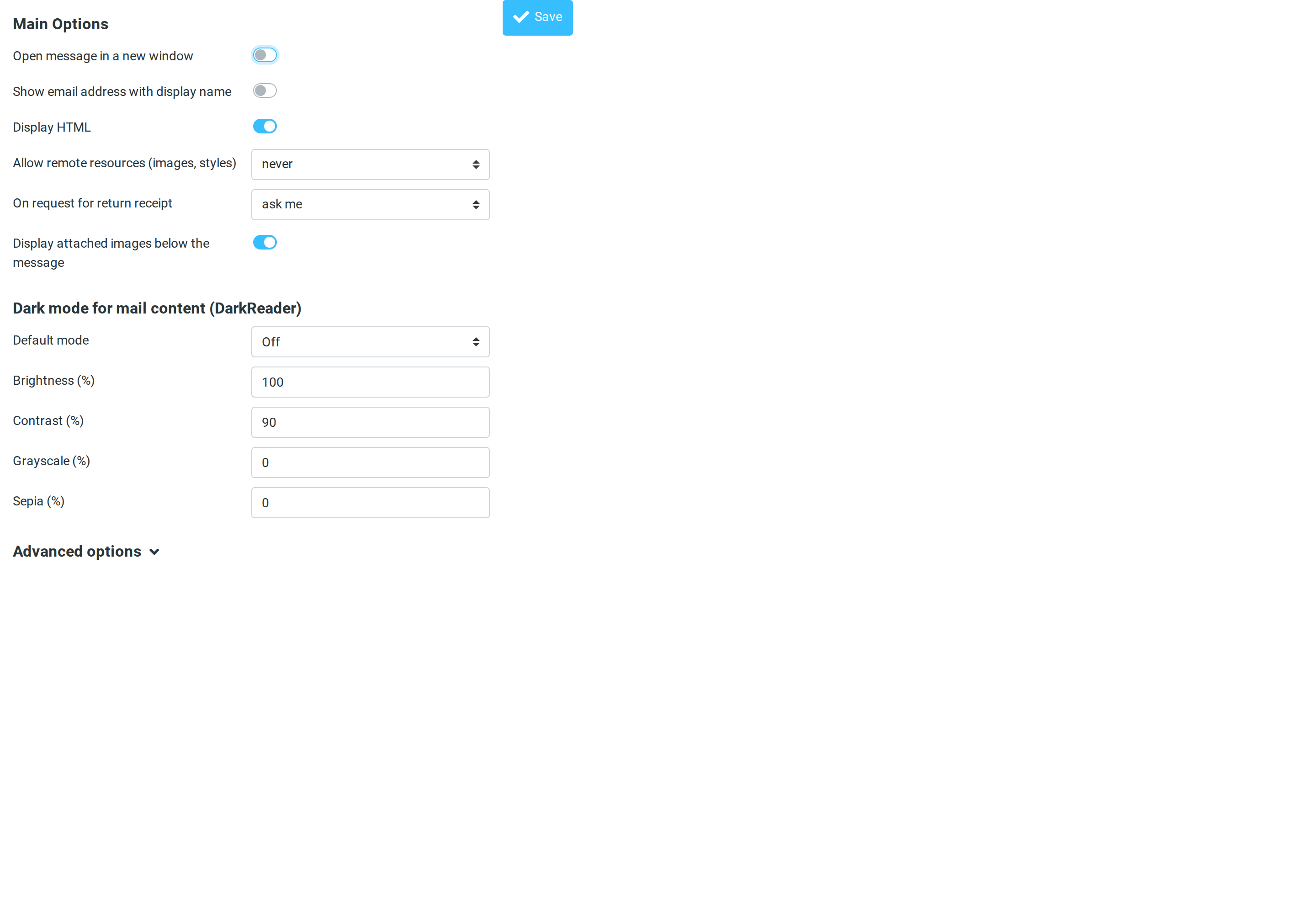
- Settings: default mode Off, Dark, Light, Auto or System, plus brightness, contrast, grayscale and sepia.
- In System mode the rendering follows the operating system. The choice is kept per browser.
- Tested with Roundcube 1.7.x and the Elastic skin.
Screenshots