

ControlNav
Tired of tabbing endlessly? Just search for the control you need.
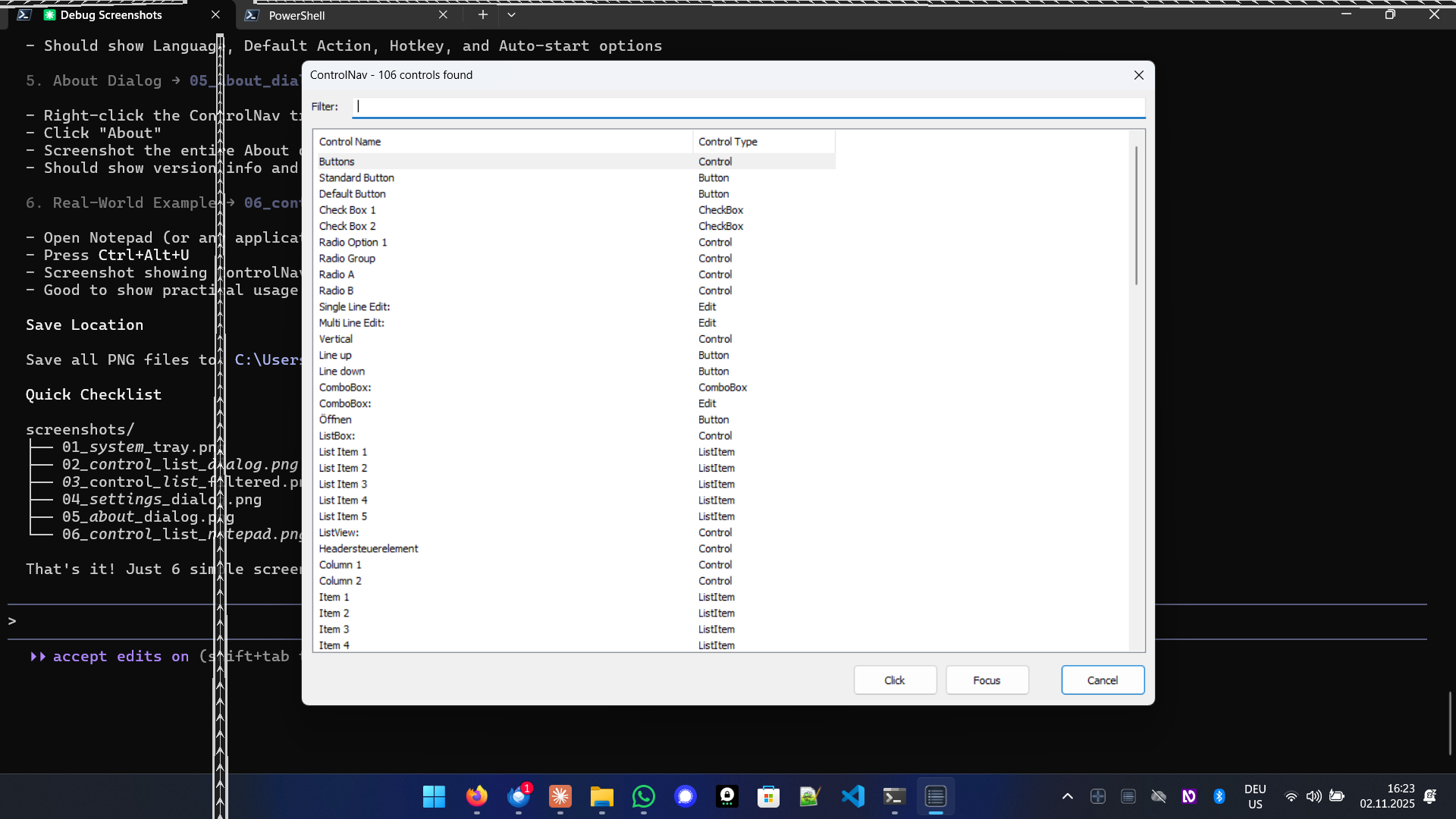
ControlNav shows all controls in the current app as a searchable list. Type to filter by name, then jump directly to any button, field, or menu — no more tabbing through the whole interface.
ControlNav is an accessibility tool designed for blind and visually impaired users who rely on screen readers like JAWS, NVDA, or Windows Narrator. It lists all controls by name and type for the current application with search functionality to quickly find and interact with controls, eliminating the need for sequential tabbing through controls.
Features
- ✓Instant control listing - shows all controls at once, no sequential tabbing
- ✓Smart search filtering - type to instantly filter controls by name
- ✓Direct control interaction - click, focus, or double-click any control from the list
- ✓Screen reader optimized - designed specifically for JAWS, NVDA, and Windows Narrator users
- ✓Global hotkey access - activate instantly with Ctrl+Alt+U from any application
Platforms
- 🪟 Windows 10/11 (x64)
Availability
Screenshots
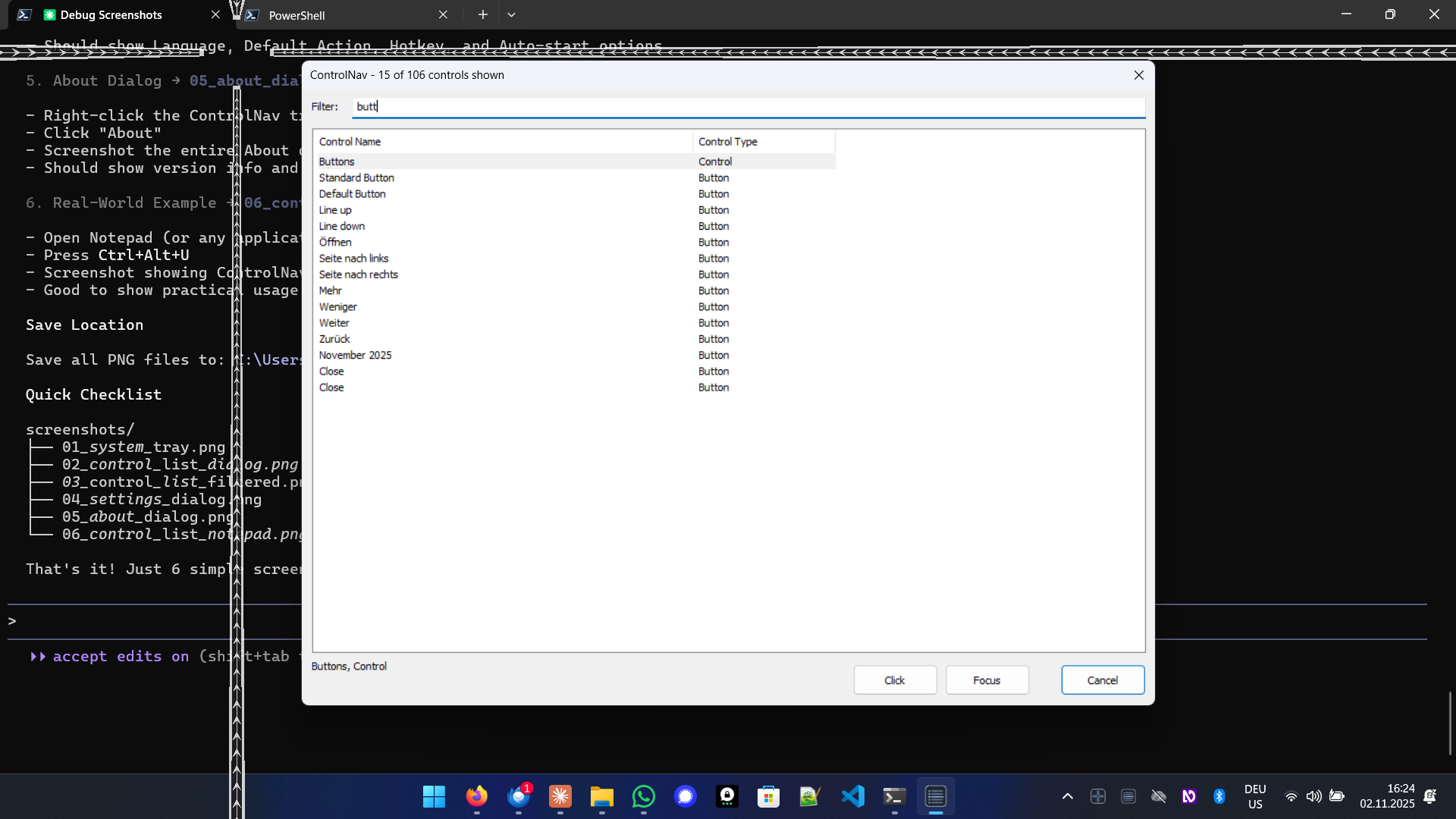
Search
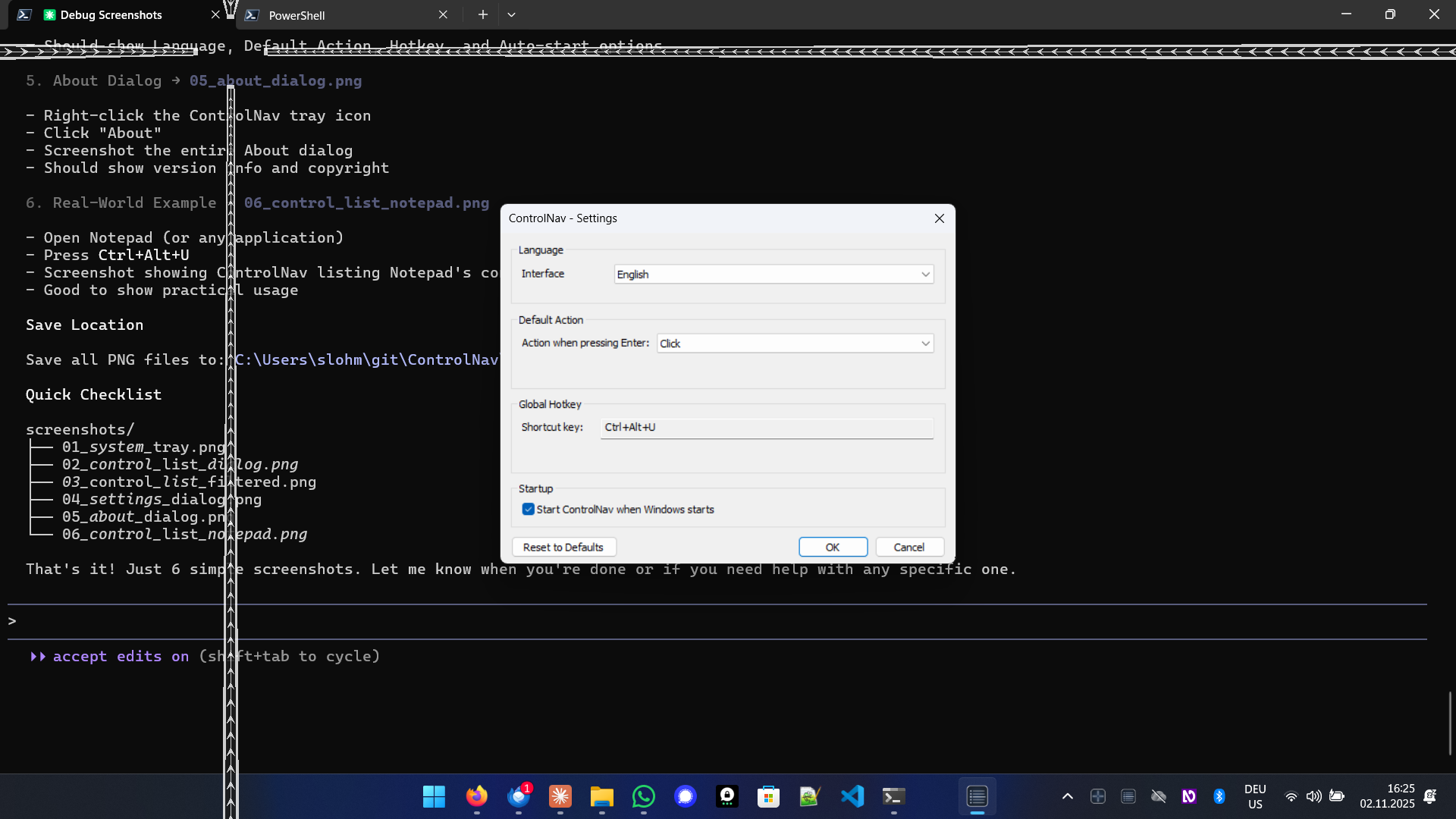
Settings
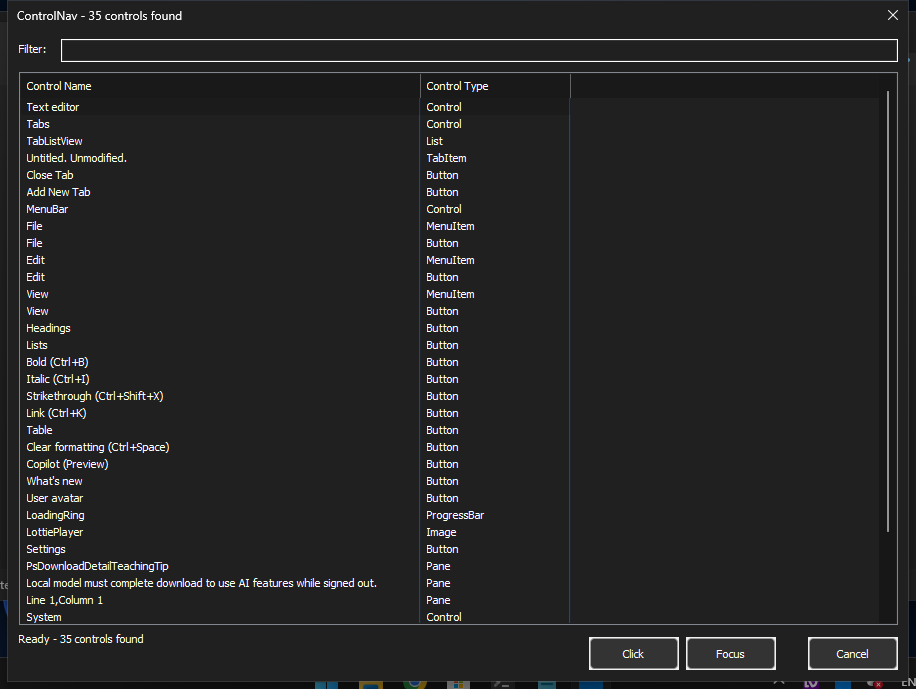
Dark mode